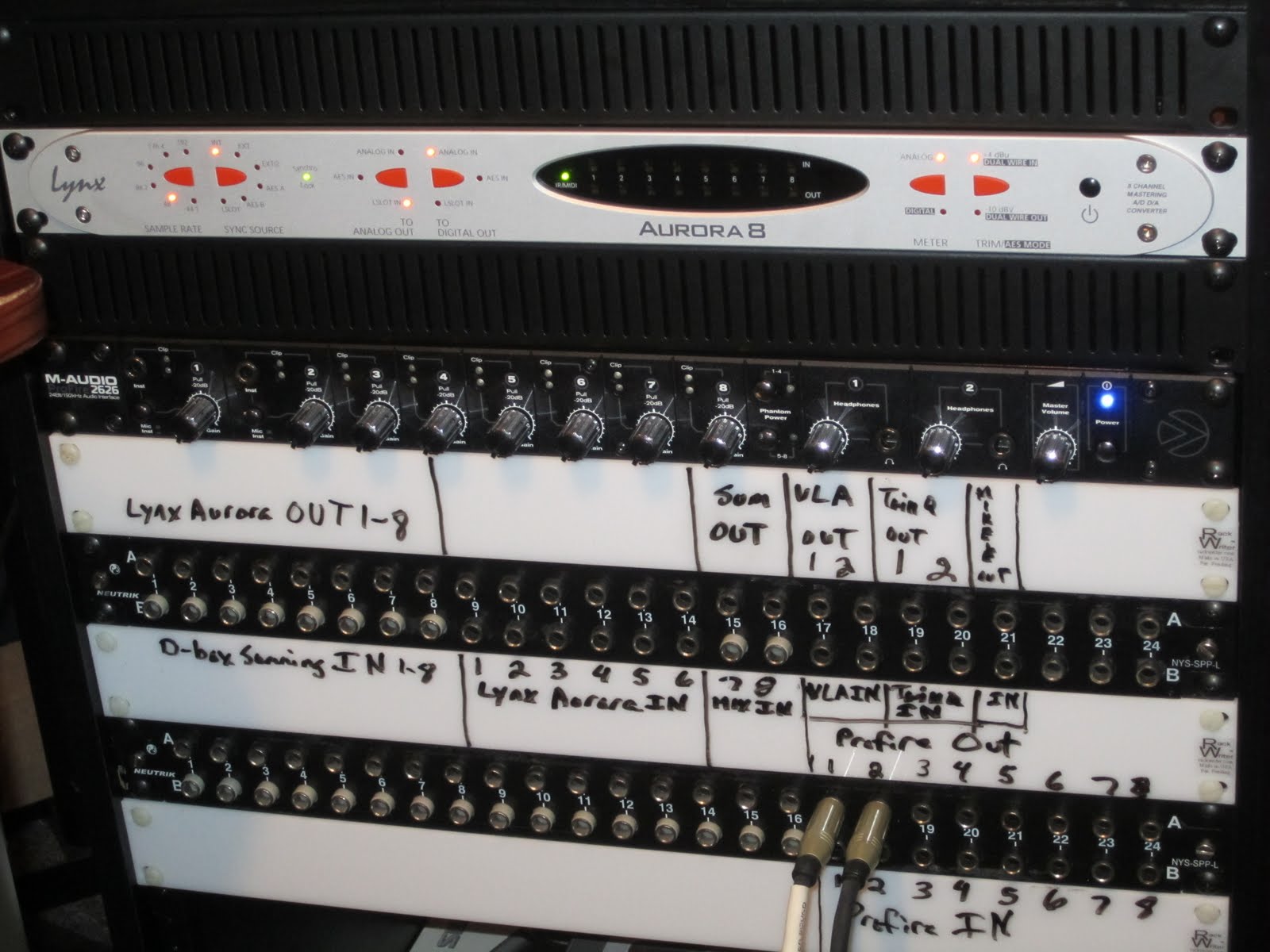
When I first saw the m-audio Profire 2626 I thought this was one sexy interface! I loved the all black faceplate. This was a huge step up in design from the previous firewire interfaces. I owned the m-audio 1814 and 410. Not because if was the best firewire interface I could get, but because it worked with pro tools m-powered. While I felt they were far short of amazing, they got the job done. The Profire 2626 however, is miles closer to amazing from the previous line of m-audio interfaces. Like the FW1814 and 410, I was forced into buying another m-audio interface in order to work in pro tools at the time. Over the past year and a half with the Profire I have grown to love some things about it, and hate some things about it. Lets talk about the good things first.
First of all 99% of the work I do in my studio is mixing and mastering, so I have never once used the pre's. However, I have an engineer friend with one and he loves the pre's on guitar and vocals. Here is a quote from him on his thoughts on the pres.
“The pres are great. They are really clean for vocals and acoustic guitar and they seem to color the signal in a really unique way.
The 2626 itself is the perfect starter piece for a home recording rig and the Octane pres are just the icing on the cake.” - Trevin Tolbert
The first thing I noticed was the d/a conversion was very nice. A lot better than I expected. Black Lion Audio says the stock Profire 2626 sounds better than the Apogee Ensemble. I can’t cosign on that because I have never used an Ensemble, but compared to my Lynx Aurora the Profire wasn't as wide and had less depth, but certainly was able to hold its own. As far a/d converters once again the Profire preformed well. Not as good as the Aurora, but a very capable a/d conversion. For the price, features, and I/O count the Profire 2626 deserves a trophy for sound quality.
Now for the bad. In printing my mixes back in Pro Tools through the Profire I would sometimes get random clicks and pops. this wouldn’t happen often, but often enough that I had to be sure to check for them before sending a mix to a client. I blamed this on the Profire’s internal clock. After purchasing a Lynx Aurora I clocked the Profire to it. 8 months in and so far not a single click or pop in my mixes.
My second issue I believe is driver related. When I clock to the Aurora and open a pro tools session sometimes I get a “playback device does not support 48k”. (Or whatever sample rate I have the Aurora set to, which most of the time is the sample rate the session is set to as well.) When this Pro Tools error occurs the clock on the Profire gets reset to spidf/coax. This has never happened opening Logic or Studio One sessions so as far as I can tell it is specific to Pro Tools. Which is pretty funny when you think about that the Profire and Pro Tools should play nicely together since they were made for each other. When this happens I have to go to Profire control setting, set the clock to internal, reopen the pro tools session, go back to the Profire control panel software, and reclock it to the Aurora. This became very annoying and was enough to make me think about parting with the Profire. Last month I got a RME Firerface 800 and it is now my main interface. I have the Profire connected to the RME by adat running in standalone mode. Since then I’ve had no problems opening Pro Tools sessions.
My third issue is the control panel software. You can save your configurations, which is pretty much standard for any interface control software, but I have no idea why the hell m-audio decided to not SHOW you what configuration you have loaded. This may seem minor but was a major FAIL to me. I have 3 different configurations saved. One for monitoring from the D-box d/a, one for monitoring from the Aurora d/a, and one to monitor from the Profire. Since I can’t see what setting I have loaded I have to just load up whatever setting I have saved, which is redundant if I was already in the setting. But to avoid wondering why my session isn’t playing back correctly from certain outputs this is how I had to do it. This is of course not an issue anymore since the RME is now my interface, and yes, it does show you which setting you have loaded in total mix.
Another weird thing is once I installed the Aurora, I went in the profire control panel to reorder the inputs. I wanted to make the Aurora 1-8 and the profire 9-16. Reordering the inputs did nothing but route the signal out the Auroa into the profire. After a few days I gave up. This was very frustrating because whenever I played Itunes or anything other than my daw I would have to patch the profire outs 1-2 into my d-box. I have no idea why the reorder input wouldn’t simply just work.
So despite the internal clock, I have no problem with the units hardware. Since I don’t record in my studio I had no problem with all the pres being on the back. The line inputs bypass the pres which is something that can’t be said for most interfaces. Some people like full metering but I’m happy with the green signal lights (of course they show red when clipping) on the front of the unit. They let me know the Profire is getting signal, I can check metering in my DAW. This can be very helpful during troubleshooting because it allows you see if your getting signal from the source. I’ve always thought of M-audio as a consumer brand for pro audio, but the Profire 2626 moves them into pro-sumer bracket to me. The hardware design definitely gives it a pro look, and when I saw the new fast track interfaces recently announced it looks like they will continue to go in that direction. Though not mentioned in the conversations with other high end companies like Apogee, Lynx, and RME, the Profire 2626 is as high end as you can get from M-audio right now.